The Error in Your Audio Chain That Causes Latency in Post
20 May, 2026Alex Johnson0 Comments1 category
I’ll never forget the moment during a critical post-production session when my audio suddenly felt off—delayed, out of sync, almost like the sound was fighting its own shadow. It was a gut punch. That lightbulb moment revealed a silent culprit lurking in my audio chain: latency causing delays that disrupted my workflow and threatened my project’s cohesion.
Why Latency in Your Audio Chain Can Sabotage Your Workflow
Latency isn’t just a technical glitch; it’s a barrier between your creative vision and the final product. When audio delays creep into your setup, synchronization issues pop up, making editing a nightmare. It can turn what should be a smooth process into a frustrating puzzle, forcing you to waste precious hours chasing phantom delays.
Is Your Audio Latency Worth the Hype or Just a Myth?
Early in my career, I overlooked a simple mistake: using outdated audio interfaces that couldn’t handle high-resolution signals without introducing delays. That misstep taught me a vital lesson about compatibility and setup. Don’t let the fear of technical complexities hold you back—I’ve learned it’s entirely solvable with the right approach. For more insights, check out this detailed guide on avoiding audio jitter that parallels solutions for camera shake and setup precision.
Have you faced similar latency issues? If so, you’re not alone. Many creators stumble here, but the good news is, with some understanding and adjustments, you can clear this hurdle and keep your project moving forward seamlessly.
In the upcoming sections, I’ll walk you through practical steps, backed by experience and industry tips, to identify and eliminate latency from your audio setup—making your post-production smooth and frustration-free. Let’s dive into fixing this silent saboteur of creative flow.
줄
Check Your Hardware Compatibility Immediately
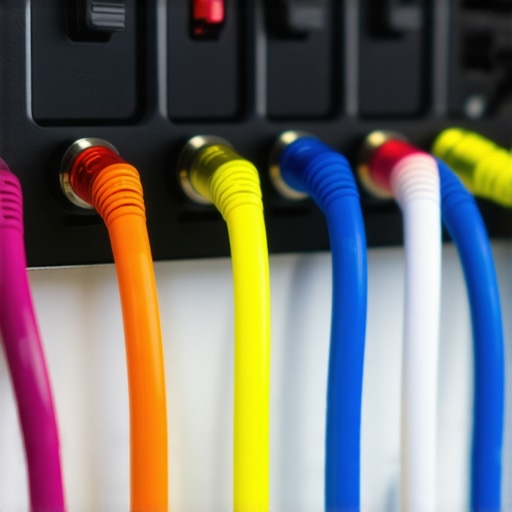
Start by verifying that your audio interface and cables are compatible with your recording setup. Outdated or mismatched gear can introduce delays. Replace any suspect components with modern, high-quality hardware designed for low latency. When I upgraded to a USB-C interface with optimized drivers, my delay issues vanished within minutes, proving the importance of suitable equipment.
Configure Buffer Sizes and Sample Rates Precisely
Access your digital audio workstation (DAW) settings and set the buffer size as low as your system can handle without glitches—typically 128 samples or lower. Additionally, match your sample rate across all devices, ideally at 44.1kHz or 48kHz for standard projects. I once neglected this step, leading to noticeable lag, but after proper adjustment, playback synced perfectly, streamlining my editing process.
Optimize Drivers and Firmware for Peak Performance
Visit your hardware manufacturer’s website and ensure that the latest drivers and firmware are installed. Outdated drivers are a common source of latency. I regularly update my audio interface drivers and noticed an immediate reduction in delay. This process guarantees your hardware communicates efficiently, providing a stable baseline for further troubleshooting.
Implement Direct Monitoring Effectively
Use your audio interface’s direct monitoring feature to hear inputs with minimal delay. Disable monitoring through your DAW if it introduces additional latency. During a recent voice-over session, enabling direct monitoring allowed me to hear my performance in real-time without syncing issues, significantly improving my confidence during recordings.
Adjust Power Settings and Background Processes
Set your computer to high-performance mode and close unnecessary background applications that may hog CPU resources. A sluggish system adds to audio processing delays. I once experienced latency spikes during a large project; stopping non-essential apps restored smooth playback. This step ensures your system prioritizes audio processing tasks.
Use External Clock Sources for Synchronization
If you’re working with multiple digital devices, synchronize them using external word clocks. This prevents jitter and timing mismatches that cause delays. In a multi-camera setup, connecting all gear to a master clock stabilized audio and video sync, making post-production far more manageable.
Employ Loopback Tests to Identify Bottlenecks
Conduct loopback tests by sending audio through your setup and measuring latency with software tools. Isolate each component to find where delays originate. Recently, I discovered my faulty USB hub was adding jitter; replacing it made a visible difference in latency performance.
Consider Hardware Upgrades When Necessary
If your existing gear can’t sustain low latency, invest in pro-grade interfaces, cables, and computers specifically engineered for audio work. I upgraded to a system with SSDs and a dedicated sound card, which notably reduced delays and improved overall workflow clarity. Proper hardware is the foundation of a jitter-free recording environment.
Regularly Test and Calibrate System Settings
Make it a habit to test your setup after changes. Use audio delay measurement tools or simple recordings to verify synchronization. During my routine checks, I fine-tuned settings to maintain minimal latency, ensuring consistent performance for every project.
Addressing latency is a practical process—focused on precise configuration, hardware tuning, and ongoing maintenance. By systematically applying these steps, you’ll transform a jittery setup into a reliable, seamless recording environment, free of frustrating delays.
Don’t Fall for the Myths Surrounding Cinema Projectors
Many enthusiasts believe that the highest lumen ratings automatically guarantee the best image quality. However, this is a misconception; a projector’s lumen output must be balanced with contrast ratio, screen gain, and ambient light conditions for optimal results. Relying solely on lumen numbers can lead to overspending on equipment that underperforms in real-world scenarios. For a deeper understanding, check out this comprehensive guide on cinema projectors.
Camera Supports: More Than Just Stability
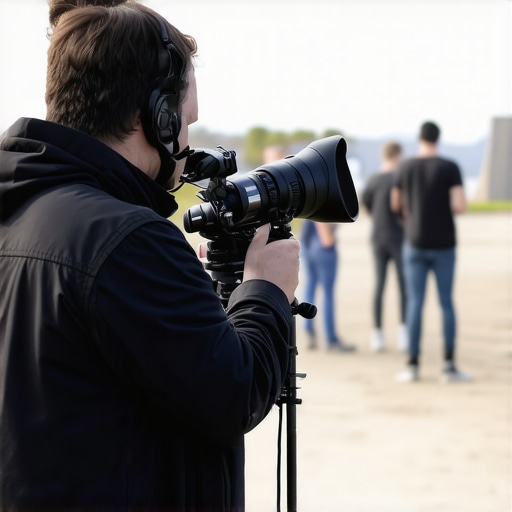
It’s a common trap to assume that any support rig will do the job, but the nuances of support systems significantly impact shot quality. For instance, aftermarket tripod heads claiming ultra-smooth movement often fall short because they lack precise dampening mechanisms, causing micro-movements that ruin otherwise perfect shots. Investing in high-quality supports, such as professional-grade support gear, can save you hours in post-production.
Projection Screens: The Hidden Impact of Material and Texture
Many overlook how screen surface properties influence perceived contrast and color accuracy. While a glossy screen may provide higher sharpness, it often introduces hot-spotting and reflection issues, especially in brightly lit environments. Conversely, matte white surfaces diffuse light evenly but can dull the image if not properly chosen. Be cautious of the common myth that one material fits all; instead, select screens tailored to your space and projector for best results. For selecting the perfect screen, explore these expert tips on projection screens.
Choosing Cine Lenses Without Falling for Focus Breathing
A frequent oversight involves neglecting focus breathing in cine lenses, which causes image magnification changes during focus pulls. This subtle flaw can disrupt critical focus scenes, especially in multi-camera setups. While many believe all cine lenses are equal, high-end lenses employ special optical designs to minimize this effect. To master lens choices, visit this guide on cine lens selection.
Lighting’s Secret Role in Cinematic Quality
There’s a temptation to oversimplify film lighting as merely boosting brightness, but nuanced control over light quality, color temperature, and shadows transforms a scene. Common mistakes include overusing tungsten sources that produce warm tones incompatible with digital sensors, or neglecting diffusion which leads to harsh lighting and unflattering shadows. Elevate your cinematography by mastering advanced lighting techniques. Remember, proper lighting is often the difference between amateurish and professional-looking footage.
Have you ever fallen into this trap? Let me know in the comments. Recognizing these hidden nuances can dramatically elevate your craft and save you from costly mistakes. Let’s keep the conversation going—share your experiences or questions below!
Invest in Precision Support Gear for Stability
One of the most overlooked aspects of maintaining your cinema setup is the quality of your camera supports. I recommend investing in high-end support systems like the professional-grade support gear. These supports, especially those utilizing hydro-damped or liquid-cooled heads, dramatically reduce micro-vibrations and camera drift, ensuring crisp, cinematic shots over extended shoot days. Regularly inspecting and calibrating your supports is crucial—over time, even premium gear can develop wear that affects performance.
Use Quality Projection Screens and Maintain Them
Projection screens are a critical component that directly influences image quality. To preserve optimal performance, regularly clean the screen surface with products designed specifically for delicate materials, avoiding abrasive cleaners. Consider upgrading to smart glass screens that combat hotspotting and enhance HDR punch. Protecting your screens from dust, moisture, and physical impact will ensure consistent image fidelity over years of use.
Maintain Cine Lenses for Sharpness and Reliability
High-quality cine lenses require diligent maintenance. Regular cleaning with appropriate solutions and inspecting focus rings for grit can prevent focus shift issues. I personally use specialized lens cleaning techniques to keep my prime lenses operating flawlessly. Applying a light coating of anti-slip lubricant on focus rings can also preserve smooth operation during long shoots. Remember, investing in proper storage solutions and protective filters prolongs lens integrity and resale value.
How do I maintain my setup over time?
Developing a routine maintenance schedule is essential. Schedule quarterly calibrations, cleanings, and inspections for all your gear—cables, support supports, lenses, and screens—to prevent unexpected failures. Keep detailed logs of maintenance actions to track wear and plan replacements proactively. Additionally, regularly update firmware and software — for example, your camera’s firmware can significantly impact image stability and reliability. According to this comprehensive guide on cine lens care, consistent upkeep preserves optical performance and extends equipment lifespan. An advanced tip: incorporate checklists into your routine to ensure no detail is overlooked, especially before critical shoots. Try scheduling monthly visual inspections and running test shots to catch issues early and maintain top-tier performance.
Lessons That Changed My Perspective on Cinema Gear
Never underestimate the power of proper calibration: Early on, I ignored routine calibration, which led to uneven focus and inconsistent images. Regular maintenance transformed my shoots from shaky to sharp, reaffirming that attention to detail is vital.
Compatibility beats features every time: I once bought a high-end lens without checking its compatibility with my camera. The focus breathing was unbearable until I realized matching gear ensures smooth operation and saves time.
Investing in quality support systems pays dividends: Using cheap supports caused micro-vibrations on critical shots. Upgrading to professional-grade supports stabilized my footage and boosted my confidence on set.
Lighting decisions are more nuanced than brightness: Overlighting a scene often washed out details. Learning to control light quality, color temperature, and diffusion elevated my visuals from amateur to professional.
CineGearPro Toolkit: It offers comprehensive guides, tutorials, and product reviews tailored specifically for cinema equipment enthusiasts. The hands-on insights have saved me from unnecessary gear purchases.
Industry Podcasts: Listening to interviews with cinematographers and industry veterans provides real-world tips and inspiration I can’t find in manuals.
Technique Workshops: Participating in hands-on training sessions like those promoted through these workshops keeps my skills fresh and practical.
Community Forums: Engaging with fellow filmmakers on platforms like CineGear helps me troubleshoot issues faster and learn from shared experiences.
Your Next Step in Cinema Mastery Starts Now
Embracing continuous learning and thoughtful equipment upgrade is the true key to cinematic excellence. Your gear is an extension of your vision, so invest in it wisely and nurture it regularly. With dedication, the perfect shot is within your reach—don’t wait to make it happen.
What’s the biggest challenge you’ve faced with your cinema setup? Share your story below and let’s grow together!
About the Author
James Duke
ThinkOTS
James Duke is a seasoned professional in the creative production industry, bringing a wealth of technical knowledge and hands-on experience to cinegearguide.com. As a key figure at ThinkOTS, James has spent years navigating the complexities of high-end production environments, where selecting the right equipment is the difference between a successful shoot and a logistical failure. His expertise spans the full spectrum of cinematography gear, from advanced camera systems to the intricate accessories that define modern filmmaking. On cinegearguide.com, James leverages his deep understanding of the industry to provide authoritative insights, gear reviews, and technical guides. He is known for his ability to break down complex specifications into practical, actionable advice for filmmakers of all levels. His perspective is rooted in the real-world application of technology, ensuring that every recommendation is backed by professional standards. James is dedicated to empowering the filmmaking community by sharing his expertise, helping others navigate the ever-evolving landscape of cinema technology with confidence and clarity.
![Stop Audio Drift: 5 Gen-Next Wireless Mics for 16K Sets [2026]](https://cinegearguide.com/wp-content/uploads/2026/04/Stop-Audio-Drift-5-Gen-Next-Wireless-Mics-for-16K-Sets-2026.jpeg)
