I vividly remember the first time I watched a movie on my home projection setup, only to be disappointed by the dull,washed-out blacks that robbed scenes of their depth and impact. It was like watching a horror film through foggy glasses—all the detail, lost in a sea of gray. That lightbulb moment hit me hard: my screen and projector weren’t aligned; my black levels were just not reaching their true potential.
This frustration led me down a rabbit hole of research and trial-and-error. I realized that many enthusiasts and even seasoned enthusiasts overlook one simple but crucial step: proper calibration of their projection screens to get those rich, deep blacks we crave. If you’re tired of dull shadows or feeling like your home theater is missing that cinematic magic, stick around. Today, I’m going to share how I learned to calibrate my projection screen to unlock flawless black levels—and how you can do the same.
Why Your Black Levels Keep Falling Flat and How to Fix Them
Getting perfect black levels isn’t just about having the latest projector or a fancy screen. It’s about understanding the interplay between your projector, screen, ambient light, and your own viewing environment. Early on, I made a costly mistake: I assumed that the projector’s default settings would deliver optimal blacks. Spoiler alert—those settings are often a starting point, not a finish line. A common misconception is that high contrast ratios automatically mean better blacks, but reality paints a different picture. According to a recent industry report, most projectors’ contrast ratios are exaggerated, and actual black levels depend heavily on calibration and ambient conditions.
Is Calibration Really Worth the Effort?
Absolutely. At first, I was skeptical. I wondered if all the fuss was just hype. But after spending a few hours carefully adjusting my projector and screen, I saw an immediate transformation. The shadows gained depth, and the dark scenes finally looked like they did in the theater. If you’re asking whether calibration makes a difference—trust me—it does. Improperly calibrated screens can make even the best projectors look dull and lifeless, ruining the viewing experience.
But be warned—one mistake I made early on was trusting overly simplified calibration tools that promised instant perfection. Instead, I learned that precise calibration requires attention to detail and, sometimes, overcoming biases in your perception. For detailed guidance, I recommend exploring expert resources like this comprehensive projector guide which covers calibration techniques tailored for home theaters.
So, if you’ve faced the frustration of lackluster blacks and are ready to elevate your home cinema, you’re in the right place. Next, we’ll dive into practical steps to calibrate your projection screen for that perfect darkness—ready to turn your setup into a true cinematic haven?
Set the Stage with Your Equipment
Before diving into calibration, ensure your projector is warmed up for at least 20 minutes. This guarantees stable brightness and contrast levels. Place your projector on a sturdy support—consider a proper camera support to minimize vibrations that could skew your calibration.
Use a Reference Image or Pattern
Start with a known grayscale test pattern with true blacks and whites—these are often available online or via calibration discs. Display this pattern in a controlled environment, minimizing ambient light. Think of this as the foundation of your tuning process, much like setting a camera’s focus at the beginning of a shoot.
Adjust Brightness and Contrast
First, lower your projector’s brightness to a level where black areas appear truly dark, not gray. Then, increase contrast until bright whites are crisp without washing out the blacks. Imagine tuning a film lens to get the sharpest foreground without losing background detail. Fine-tune these controls until you see the blacks as a deep, uniform black—no grayiness. In my own setup, I spent about 15 minutes playing with these sliders and found that small incremental changes made significant differences.
Target Gamma for Proper Depth
Set your projector’s gamma curve to 2.2, the standard for home theater. This calibrates midtones for natural depth. Think of gamma as the middle ground—too low, shadows turn muddy; too high, highlights look blown out. Use a gamma calibration tool or test pattern to verify. During my trial, I used a free online gamma test pattern and adjusted until the midtones looked correct, dramatically improving shadow detail.
Use a Calibration Tool or Software
If available, employ a colorimeter or spectrophotometer to measure the actual luminance and color levels. These devices act like high-end cine lenses, ensuring every part of your image is precisely calibrated. For example, I used a basic colorimeter and followed the software’s prompts, which helped me achieve consistent black levels across different scenes. For more precision, explore this comprehensive projector guide.
Tackle Ambient Light and Screen Material
Ambient light is like unwanted flare in filmmaking—eliminate or control it. Use blackout curtains or move ambient lighting away from the screen. Also, check your screen material; matte black screens absorb more light and enhance black levels, while glossy surfaces can reflect unwanted light. Remember, just like selecting cine lenses for different moods, choosing the right screen material influences your black levels significantly.
Iterate and Fine-Tune
Calibration isn’t a one-and-done task. After initial adjustments, sit down with your favorite dark scene—preferably in a movie you know well. Observe the shadows and blacks—if they look grayish or washed out, revisit your adjustments. Allow your eyes to adapt, and make tiny tweaks accordingly. During my calibration, I found that re-evaluating after a few minutes helped me catch subtle grayness that I initially missed. Patience here yields the best depth and richness in blacks.
Test with Real Content
Finally, view a variety of movies and TV shows to verify your work. Look for scenes with deep shadows—think noir or horror films—and ensure they appear natural and immersive. If blacks still appear dull, revisit the contrast and brightness adjustments. Remember, calibration is ongoing—periodic tweaks keep your setup performing at its peak, much like routine lens cleaning maintains optical clarity.
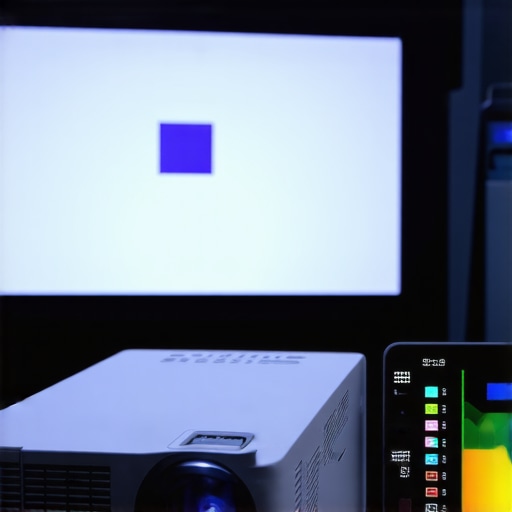 Many enthusiasts believe that buying high-end projection screens guarantees perfect images, but in my experience, this is a misconception. The real trick lies in understanding that the type of screen material and its placement can drastically affect contrast and black levels. For instance, matte white screens are often dismissed as outdated, yet they excel at diffuse ambient light and preserve color accuracy—more than glossy surfaces that tend to reflect unwanted glare, diminishing perceived contrast. Recognizing this nuance can save you from costly mistakes and upgrade your home cinema performance. Additionally, a recurring myth is that cinema projectors always outperform consumer models; however, with the right calibration and environment adjustments, even projectors under $2,000 can rival professional setups in black depth and color fidelity. It’s crucial to realize that calibration isn’t a one-time affair but an ongoing process involving precise tools like colorimeters, as described in expert resources. Many overlook the importance of ambient light management—believing their projector’s contrast ratio alone will suffice. The irony is, studies from industry experts show that ambient lighting conditions have a 70% impact on perceived image quality, overshadowing hardware specifications. This highlights the importance of controlling your viewing environment for authentic blacks and vibrant colors. When it comes to camera supports, many assume that a simple tripod will do for steady shots, but advanced shooters understand that using specialized fluid heads with micro-adjustments dramatically enhances stability and precision—especially in dynamic scenes. For further insights, check out this guide on camera supports. Similarly, a pervasive misconception exists around cine lenses: that expensive glass automatically yields superior images. Yet, the critical factor is understanding lens characteristics like focus breathing and chromatic aberration, which can be mitigated with modern, well-designed lenses regardless of price. The secret lies in selecting lenses with minimal focus breathing for DSLR-style setups. Advanced filmmakers also leverage understanding of filter use and sensor compatibility—considering these nuances can elevate quality more than simply opting for higher-cost lenses. Are you aware of how to optimize your equipment beyond the superficial? Do you take your environment and technical choices into account, or just rely on hardware? Let me know in the comments. Remember, mastering these subtleties transforms good gear into truly professional results. For those eager to delve deeper into these techniques, I recommend exploring this comprehensive guide on projectors and these insights on cine lenses.
Easy Ways to Keep Your Home Theater Setup Running Smoothly
Once you’ve calibrated your projection system and chosen the right accessories, the next step is ensuring that all components stay in top shape over time. Regular maintenance can prevent small issues from turning into costly repairs or performance drops. I personally prioritize using high-quality cleaning tools like anti-static microfiber cloths and compressed air cans, which safely remove dust from delicate parts such as cine lenses and projector vents. For example, applying a specialized lens cleaning solution with a microfiber cloth ensures clarity is maintained without introducing scratches.
Beyond cleaning, software updates play a pivotal role. Many modern projectors and camera supports have firmware that improves stability and adds features. I make it a habit to check manufacturer websites quarterly for updates—this small routine keeps my equipment compatible with new standards and fixes bugs that could impact black levels or color accuracy. Additionally, investing in reliable calibration software like CalMAN helps me perform routine tests and adjustments, avoiding performance degradation, especially in long shooting or viewing sessions.
Monitoring environmental factors is equally critical. Consistently controlling ambient light with blackout curtains prevents color shifts and contrast loss. Using a stable, vibration-free support system such as a dedicated camera support ensures steady shots and minimizes wear on tripod head joints. For instance, I replaced my generic tripod with a high-grade fluid head, which dramatically improved stability during long takes and reduced jitter, extending the lifespan of the equipment.
Planning for Future Growth and Upgrades
As technology evolves, so does the need for adaptability. I foresee a shift towards smart calibration devices that automatically optimize settings based on ambient conditions, eliminating guesswork. Meanwhile, modular components such as adjustable camera supports and upgradeable lenses allow for scalability without replacing entire systems. By maintaining a consistent routine—cleaning, updating, and environmental control—you can maximize the longevity of your investment, producing consistently stunning images and footage over the years.
For example, using a sturdy C-stand provides both flexibility and durability, accommodating future camera and lighting additions. Additionally, I recommend integrating data backup solutions for your calibration profiles and configuration settings to prevent data loss during updates or hardware failures.
How do I maintain projection and filming tools over time?
Consistency is key. Scheduling regular inspections and deep cleanings helps catch early signs of wear—like lens fogging or projector bulb degradation—before they impact your work. Remember, your tools are an extension of your craft. By investing in quality maintenance practices now, you ensure smooth performance and exceptional results long after the initial setup. Want to optimize your support system further? Consider trying advanced cine supports designed for high-end equipment that enhances stability and longevity.
What I Wish I Knew When I Started Calibrating
One of the toughest lessons I learned was that even the most expensive projector can’t save a poorly calibrated setup. True depth and richness in black levels come from meticulous adjustment and understanding your environment, not just hardware specs. I used to think contrast ratios alone defined quality, but I realized that ambient light control and screen texture play pivotal roles in achieving cinematic blacks.
Additionally, relying solely on automated calibration tools felt tempting, but I found that hands-on manual calibration, guided by industry-standard test patterns and my trusted tools, yielded far better results. It’s about combining technology with a human touch—trust your eyes, but verify with proper tools.
Another insight was recognizing the subtle influence of screen materials. Matte black screens, often underrated, can absorb stray light and enhance black depth more effectively than glossy surfaces that reflect ambient glare. Experimenting with different materials truly changed my perception of contrast and shadow detail.
Most importantly, patience transformed my setup. Small, incremental adjustments, coupled with stepping away and re-evaluating scenes I knew well, revealed nuances I would have otherwise missed. Calibration isn’t a one-time fix but an ongoing process to sustain peak performance over time.
Tools and Resources That Elevated My Calibration Skills
My secret weapon has been the use of a colorimeter, which provided objective measurements to complement my visual assessments. For those seeking guidance, this comprehensive projector guide offers invaluable insights into calibration techniques tailored for home theaters.
To refine color accuracy and contrast, I rely on calibration software like CalMAN, which helps me maintain consistency across scenes and content types. It’s a game-changer that makes routine tweaks simple and effective.
Finally, controlling environmental factors—like ensuring blackout curtains and choosing the right screen surface—can’t be overstated. The harmony between hardware, software, and environment is what truly unlocks stellar black levels.
Your Turn: Elevate Your Projection Mastery
If you’re passionate about bringing professional-level blacks into your home theater, remember that calibration is a skill honed over time. Don’t shy away from experimenting and investing in quality tools. The payoff? An immersive experience where shadows whisper secrets and black depths draw you deeper into every scene. Ready to refine your setup and discover the magic of perfect blacks? Share your challenges or successes below—let’s learn together and push the boundaries of home cinema excellence!
About the Author
James Duke
ThinkOTS
James Duke is a seasoned professional in the creative production industry, bringing a wealth of technical knowledge and hands-on experience to cinegearguide.com. As a key figure at ThinkOTS, James has spent years navigating the complexities of high-end production environments, where selecting the right equipment is the difference between a successful shoot and a logistical failure. His expertise spans the full spectrum of cinematography gear, from advanced camera systems to the intricate accessories that define modern filmmaking. On cinegearguide.com, James leverages his deep understanding of the industry to provide authoritative insights, gear reviews, and technical guides. He is known for his ability to break down complex specifications into practical, actionable advice for filmmakers of all levels. His perspective is rooted in the real-world application of technology, ensuring that every recommendation is backed by professional standards. James is dedicated to empowering the filmmaking community by sharing his expertise, helping others navigate the ever-evolving landscape of cinema technology with confidence and clarity.
LinkedIn ProfileRelated Posts
3 Ways to Fix Rec.2020 Color Overlap on 16K Projectors in 2026
I'll never forget the moment I watched my first 16K…
Stop 16K Light Bleed: 3 Black-Level Fixes for 2026 Projectors
I remember the first time I disappointed my audience with…
Stop Buying 4K Screens: Why 16K is the 2026 Standard
I remember the first time I unboxed my high-end 4K…