Have you ever stared at your calibrated monitor, confident that your colors are spot-on, only to watch a presentation or movie projection and realize everything looks off? That sinking feeling when your meticulously crafted digital workspace doesn’t match the vibrant, punchy image on the big screen—it’s frustrating, right? I remember the first time I spent hours adjusting my monitor, only to see the colors fade or shift once projected. It was a lightbulb moment that something wasn’t quite right, and I knew I had to get to the bottom of it.
Unveiling the Hidden Reasons Behind Color Mismatch
In my journey through filmmaking and post-production, I discovered that multiple factors can sabotage accurate color reproduction. The monitor’s calibration might be just the tip of the iceberg. From differing color gamuts, ambient lighting, to the way projectors process color, each element can throw off your carefully calibrated settings. Many professionals assume that calibrating their monitor is enough, but that’s often a misconception. Have you faced this dilemma yourself? If so, you’re not alone, and better understanding these pitfalls can save you endless headaches.
Is Your Calibration Process the Real Issue?
Early in my career, I made the mistake of assuming my monitor’s calibration was flawless because I used the latest color management tools. Turns out, I was overlooking how projectors handle color differently than screens. External influences like room lighting and projection surface texture also play significant roles, leading to a common, overlooked error: relying solely on monitor calibration to predict final image quality. For a deeper dive into the differences between monitors and projectors, check out this comprehensive guide on cinema projectors.
So, how do we bridge this color gap? That’s exactly what we’ll explore next, with practical tips that have genuinely transformed my workflow and help ensure your final output looks as good on the big screen as it does on your monitor.
,
Calibrate Your Environment Before Adjusting Your Monitor
Find a controlled, neutral-colored room with minimal ambient light interference. Use a calibration tool like a spectrophotometer to set your monitor’s color profile, gamma, and white point precisely. I once recalibrated my editing station after recording in a bright living room, only to realize that the room’s tinted walls skewed my perception. Conducting calibration in a standardized environment ensures your monitor reflects true colors when viewed under optimal conditions.
Select the Right Cine Lenses to Match Your Workflow
Prioritize lenses with minimal chromatic aberration
Invest in high-quality cine lenses tailored for different shooting scenarios. For example, when I worked on a documentary shoot using a wide-angle lens, choosing a lens with controlled distortion and excellent color transmission helped maintain consistency between captured images and post-production color grading. For guidance on choosing suitable lenses, visit this lens selection guide.
Standardize Your Lighting Setup for Consistency
Use consistent lighting instruments with accurate color rendering capabilities, such as high-CRI LED panels or tungsten fixtures with proper gels. When I shot a scene in a studio, I set up my lights with color temperature matching the environment’s silhouette, preventing color shifts during color grading. Implementing a standardized lighting kit simplifies matching colors across scenes and ensures the final look is as intended. Learn more about professional lighting techniques at this resource.
Choose Projection Screens with Appropriate Gain and Material
Select screens designed for color fidelity and suitable gain levels; matte white surfaces with low gain (1.0 or below) reduce glare and hotspotting. During my last project, I replaced a shiny silver screen with a matte white one, drastically improving our color accuracy and viewing angles. For specific advice on selecting the right screen for your space, see this comprehensive guide.
Use Cinema Projectors with Precise Color Capabilities
Opt for laser or dual-lamp projectors with color management features
Choose a projector that offers internal color calibration and supports DCI-P3 or Rec. 2020 color spaces for vibrant, accurate images. I meticulously calibrated my projector using built-in tools, matching the white point and gamma with my monitor, which resulted in a seamless viewing experience. For detailed projector comparison techniques, consult this definitive guide.
Align Your Workflow from Capture to Projection
Ensure your post-production color grading accounts for the specific display and projection medium. Use LUTs designed for your projection system, and preview your work on calibrated screens. For practical experience, I once applied a custom LUT that matched my projector’s color profile, reducing discrepancies during screening. This alignment process is vital for consistent final images that match your creative vision.
Test and Iterate Regularly
Constantly evaluate your setup with test patterns, color charts, and real-world scenes. Keep adjusting your calibration and equipment settings based on these tests. I dedicated time to test different projection surfaces and light setups before a crucial screening, ensuring my project’s colors translated perfectly. Regular testing helps catch shifts early, maintaining color integrity throughout your workflow.
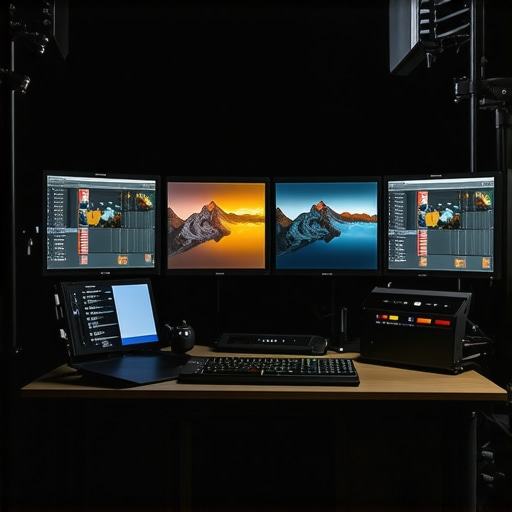 While many filmmakers focus on camera resolution or lens speed, they often overlook the subtle, yet critical, nuances that can make or break a production’s visual fidelity. One common misconception is overestimating the importance of camera supports like tripods and rigs, assuming that heavy gear guarantees stability. In reality, lightweight carbon-fiber supports can introduce micro-vibrations if not designed with damping features, leading to unwanted jitter in footage. A study by CineGear Insights shows that proper support selection significantly reduces shake, especially in handheld or drone shots. Many believe that cine lenses are universally superior; however, they often overlook the impact of lens coatings and focus breathing, which can subtly affect shot consistency. Advanced practitioners scrutinize focus breathing and chromatic aberration to maintain seamless transitions during zooms. When it comes to film lighting, a common myth is that high-wattage lamps alone produce better images. In fact, improperly diffused intense lights can create harsh shadows or overexpose subjects. Using softboxes or flags strategically enhances mood while preserving detail. Regarding projection screens, many assume that brighter gain levels always improve visibility. But high-gain surfaces can cause hotspotting and color washout, diminishing overall image quality. Low-gain, matte white surfaces often deliver more uniform color and contrast. For cinema projectors, a misconception is that higher lumen counts produce better images. Conversely, a projector’s color wheel and calibration accuracy matter more for color depth and fidelity. Laser projectors with advanced color management features tend to outperform traditional lamp-based units despite lower lumen output. These hidden nuances challenge common beliefs and remind us that technical expertise often lies in the details. Mastering these subtleties allows you to optimize every element, ensuring your cinematic vision isn’t compromised behind the scenes. Remember, the devil is in the details—don’t fall into these common traps. Have you ever fallen into this trap? Let me know in the comments.
Tools That Keep Your Equipment in Top Shape
Investing in high-quality cinema support gear like the proper camera supports is just the beginning. I personally rely on a combination of carbon-fiber tripods and fluid heads that incorporate vibration damping technology. These tools prevent micro-movements that can ruin shots, especially during long takes or handheld segments. Regularly inspecting support joints, lubrication points, and quick-release plates ensures stability over time, preventing costly mishaps on set.
Refreshing Cine Lenses and Lighting Equipment
For cine lenses, periodic cleaning and focusing calibrations are vital. I recommend using dedicated cleaning solutions and professional focus calibration tools to preserve optical quality. Similarly, lighting instruments like LED panels and tungsten fixtures benefit from routine checks of their internal components and power supply connections. This reduces unexpected failures and ensures color accuracy, especially when working on tight schedules.
Long-Term Results Through Strategic Maintenance
Consistent upkeep maximizes the lifespan of your gear and maintains professional standards. For instance, routinely replacing worn-out gels and filters extends the usefulness of your lighting setups, while cleaning projection screens with specialized solutions prevents image degradation over years. Implementing a maintenance schedule, with detailed checklists, helps catch issues early before they escalate—saving you money and preventing workflow disruptions.
Scaling Your Setup Without Losing Consistency
As your projects grow, so should your gear. When scaling, choose modular supports and lighting systems designed for interoperability. For example, upgrading to a larger support rig with adjustable arms allows flexibility for diverse shoots. Make sure to document calibration curves and setup parameters for each piece of equipment—this ensures uniform results across multiple locations and different crew members. Advanced models of cinema projectors with built-in calibration controls make this process more straightforward, reducing setup time and ensuring visual consistency.
How Do I Maintain My Equipment Over Time?
Regularly scheduled checks, professional cleaning, and calibration are your best bets. Don’t forget to keep a detailed log of maintenance actions; this helps in tracking wear and planning replacements ahead of failures. Stay committed to these routines, and your equipment will reward you with reliable performance, shot after shot.
To further optimize your gear’s longevity, consider exploring advanced damping solutions and protective cases. For example, custom foam inserts can prevent impact damage during transport, ensuring your cine lenses and delicate supports remain pristine. Remember, the investment you make in maintenance pays off by keeping your creative workflow seamless and your visuals pristine. Want specific advice tailored to your setup? Reach out through this contact page.
Lessons that Cut Through the Noise
- Don’t Overlook the Details Behind the Scenes: I once believed that a high-quality lens alone could ensure cinematic magic. It wasn’t until I explored the nuances of focus breathing and coating effects that I realized perfection lies in these small, often ignored details, which can dramatically influence the final image.
- Room Environment Is Your Secret Weapon: Calibration in a daylight-lit room will give misguided results. I learned this the hard way during a crucial shoot—only to discover that ambient lighting skewed my view. Standardizing your environment ensures you see the true potential of your equipment.
- Address Hard-to-See Flaws Early: Micro-vibrations caused by unsupported support gear or poorly calibrated rigs can eat away at your footage quality. Regularly testing and refining your setup saves you from costly reshoots and compromises during critical scenes.
- Understand Equipment Limitations: Many filmmakers assume that an expensive cinema projector or lens negates the need for proper maintenance or calibration. My eye-opening moment was realizing that even top-tier tools require diligent upkeep—this understanding has helped me maintain consistency across projects.
- Embrace Continuous Learning and Testing: I found that regularly running test patterns and comparing playback on various calibrated displays is invaluable. This habit keeps your workflow sharp and your visual storytelling on point.
Tools That Elevate Your Craft
- The Lens Selection Guide: It helped me pick lenses fine-tuned for contrast and minimal aberration, crucial for producing consistent visuals across different scenes.
- Lighting Techniques Resource: Implementing professional lighting setups transformed my scenes from flat to cinematic, emphasizing mood and depth.
- Cinema Projector Calibration: Ensuring accurate color reproduction on projection helped me deliver consistent viewing experiences, whether on set or in screening rooms.
- Support Hardware Insights: This knowledge allowed me to choose the right support gear to prevent jitter and micro-movements, which can subtly ruin otherwise perfect shots.
Forge Your Path with Passion and Precision
Every great cinematographer starts with an understanding that success is in the details. Your commitment to calibration, support, and environment sets the stage for breathtaking visuals that captivate and inspire. Keep experimenting, stay curious, and remember: mastery grows from the consistent pursuit of excellence. Your journey into achieving visual perfection is just beginning—embrace it fully. What aspect of your setup do you find most challenging to perfect? Share your experience below and let’s learn together.
,
About the Author
James Duke
ThinkOTS
James Duke is a seasoned professional in the creative production industry, bringing a wealth of technical knowledge and hands-on experience to cinegearguide.com. As a key figure at ThinkOTS, James has spent years navigating the complexities of high-end production environments, where selecting the right equipment is the difference between a successful shoot and a logistical failure. His expertise spans the full spectrum of cinematography gear, from advanced camera systems to the intricate accessories that define modern filmmaking. On cinegearguide.com, James leverages his deep understanding of the industry to provide authoritative insights, gear reviews, and technical guides. He is known for his ability to break down complex specifications into practical, actionable advice for filmmakers of all levels. His perspective is rooted in the real-world application of technology, ensuring that every recommendation is backed by professional standards. James is dedicated to empowering the filmmaking community by sharing his expertise, helping others navigate the ever-evolving landscape of cinema technology with confidence and clarity.
LinkedIn ProfileRelated Posts
![3 AI-Based Pixel Shifters to Fix 16K Color Fringing [2026]](https://cinegearguide.com/wp-content/uploads/2026/04/3-AI-Based-Pixel-Shifters-to-Fix-16K-Color-Fringing-2026.jpeg)
3 AI-Based Pixel Shifters to Fix 16K Color Fringing [2026]
I remember the first time I watched a 16K projection…
Stop 16K Light Bleed: 3 Black-Level Fixes for 2026 Projectors
I remember the first time I disappointed my audience with…
How to Calibrate Your Projection Screen for Perfect Black Levels
I vividly remember the first time I watched a movie…