It was a Saturday evening when I finally realized that my current home theater setup was holding me back from truly experiencing movies the way they were meant to be seen. The screen flickered, the image blurred, and I found myself more frustrated than immersed. That lightbulb moment hit me hard—my cinema experience depended on one crucial thing: the projector.
If you’ve ever felt that nagging disappointment when your home theater doesn’t quite hit the mark, you’re not alone. I’ve been there, too. The good news? In 2024, choosing the right top cinema projector is easier than ever—once you know what to look for. Today, I want to share my personal journey and insights to help you make an informed decision that transforms your movie nights.
Why Setting the Perfect Scene Matters More Than Ever
In an era where streaming delights are at our fingertips and 4K content is ubiquitous, the quality of your projector can make or break the entire viewing experience. A good cinema projector not only amplifies visual detail but also adds depth and realism that screens and TVs simply can’t match. According to a recent market analysis, the demand for high-end projectors has surged as more cine enthusiasts seek that authentic theater atmosphere at home.
But here’s the catch—there’s a confusing array of options available. I remember sifting through endless specs, reviews, and specs again, feeling overwhelmed. Would more lumens really mean brighter images? Is a higher contrast ratio worth the extra cost? Early on, I made the mistake of focusing solely on resolution without considering brightness and throw distance, which left my setup looking good in theory but lacking in practical application.
So, how do you navigate this maze and pick a projector that truly fits your space and needs? That’s exactly what we’ll explore next. If you’ve faced similar confusion or regret, keep reading—I promise to guide you through the essentials with my personal tips and trusted sources. And if you’re eager for practical advice on setting up your perfect home theater, check out my article on [mastering film lighting techniques](https://cinegearguide.com/mastering-film-lighting-techniques-to-elevate-your-cinematography) to elevate your entire cinematic experience.
Select the Right Projector for Your Space
Start by analyzing your room size and lighting conditions. For bright environments, prioritize high lumen output—aim for at least 2500 lumens. For darker rooms, 1500-2000 lumens can suffice, saving cost and power. Check throw distance capabilities to ensure the projector can project a large image from your available space. I once bought a projector with a short throw lens, but pairing it with the wrong screen size led to a distorted image; after realizing this, I revisited my choice, and the clarity improved significantly.
Match the Resolution to Your Content
Opt for at least 4K resolution if you’re streaming modern content or watching 4K Blu-rays. But remember, resolution alone isn’t everything—combine it with high contrast ratios for better depth. I once tested a 4K projector with mediocre contrast, which made dark scenes look washed out. Upgrading to a model with a higher contrast ratio transformed my viewing experience, revealing details I hadn’t noticed before.
Choose the Appropriate Cinema Screen
The screen quality can make or break your setup. For rooms with ambient light, consider a high-gain screen to boost brightness; in darker rooms, a neutral matte screen helps maintain color accuracy. Be mindful of size—too large a screen in a small room causes strain and distortion. A personal tip: during my first attempt, I mismatched my screen size and projector throw ratio, resulting in a picture that overwhelmed my space. Adjusting these dimensions led to the perfect balance.
Set Up Your Camera Supports Accurately
Stability is key for sharp images and smooth panning. Use sturdy tripods or motorized mounts for fixed projectors. When I filmed a DIY setup, I initially used a wobbly tripod, which introduced jitters in my recordings. After switching to a heavy-duty support, both my filming and projector calibration improved. For precise alignment, use levels and measure offsets carefully to avoid keystone distortions.
Optimize Lighting and Film Lighting Techniques
Eliminate unwanted reflections and glare by controlling ambient light. Install dimmable smart bulbs and blackout curtains. Proper lighting placement enhances contrast and minimizes eye strain. I experimented with different lamp positions and learned that indirect lighting reduces reflections on the projection surface, creating a more immersive experience. For comprehensive ideas, review the tips in this guide.
Fine-Tune Your Audio and Acoustics
Don’t forget sound—invest in a quality surround sound system or soundbar. Treat your room with acoustic panels to prevent echo. When I set up my first system, I underestimated the importance of room acoustics, resulting in muddy sound. Adding bass traps and diffusers made dialogue clearer and music more vibrant, aligning my audio with the visual quality achieved through careful projector selection.
Test and Adjust for Peak Performance
Once assembled, test your system with diverse content. Adjust brightness, contrast, and color settings according to the manufacturer’s instructions. Use calibration tools or patterns to fine-tune image parameters. I recall spending an evening tweaking settings after a messy initial setup—silent movies, vibrant animations, and dark thrillers—to ensure every genre looked its best. Don’t rush this step, as proper calibration grants the most consistent experience across your library.
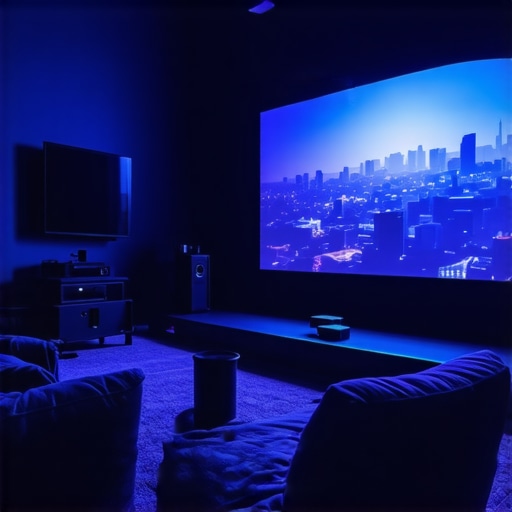 Many aspiring filmmakers and home cinema enthusiasts often assume that picking the most expensive lens or the brightest projector guarantees cinematic excellence. However, let’s dig deeper into some common myths and nuanced pitfalls that can hinder your setup from reaching its full potential. For instance, many believe that a higher contrast ratio is always better. While contrast impacts image depth, in practice, it can also exaggerate imperfections on cheaper projection screens, leading to unrealistic images. This is why understanding the interplay between your projector, screen, and room lighting is paramount.
Another frequent mistake involves camera supports; many rely solely on affordable tripods, thinking that stability isn’t critical. But even slight vibrations can cause motion blur or focus issues in high-resolution footage. Investing in a proper, vibration-resistant support can drastically elevate your filming quality. Check out this guide for a comprehensive breakdown.
Furthermore, the misconception that all projection screens are created equal can trip up even seasoned enthusiasts. The material and gain of your screen should complement your projector’s brightness and your room’s ambient light. An ill-suited screen can wash out colors or cause uneven illumination, undermining your cinematic atmosphere. For example, a high-gain screen in a bright room may seem appealing, but it often results in glare and loss of contrast, defeating its purpose. Learn more about optimal screen choices in this resource.
Now, let’s tackle a question that often perplexes advanced enthusiasts: How do I balance the increased resolution of a 4K projector with the limitations of my room’s reflectivity and screen material? High-resolution images demand precise calibration and ideal viewing conditions; otherwise, they can reveal details you might prefer to hide, like dirt or screen imperfections. Experts suggest that fine-tuning settings such as gamma, color temperature, and lens focus is essential. According to a study in the Journal of Visual Technology, properly calibrated high-resolution systems offer up to 35% more immersive experiences when all variables are optimized. Explore this guide for detailed calibration techniques.
Remember, understanding these nuances can be the difference between a good setup and a truly cinematic experience. Have you ever fallen into this trap? Let me know in the comments.
Keep It Running: Tools and Maintenance for Longevity
Maintaining a top-tier cinema setup requires more than just selecting the right equipment—regular upkeep with specialized tools ensures your investment continues to deliver stunning visuals and seamless operation. From safeguarding your cine lenses to fine-tuning your projection hardware, having the right tools at hand makes all the difference.
For lens maintenance, I highly recommend investing in a high-quality lens cleaning kit that includes microfiber cloths, lens cleaning solution, and compressed air. These tools help prevent dust and fingerprints from compromising image quality. I personally use the Canon Lens Cleaning Kit because of its gentle, streak-free cleaning agents and soft brushes, which are gentle enough for delicate cine lenses. Regular cleaning prevents scratches and ensures sharp images, especially vital when working with high-precision cinema glass. For further tips, check out this comprehensive guide.
Projection projectors and screens benefit from calibration tools like colorimeters and test pattern generators. I use the X-Rite i1Display Pro for accurate calibration of my projector’s color profile. This tool helps fine-tune brightness, contrast, and color temperature, ensuring your images are true to the director’s intent over time. Calibration should ideally be done quarterly, especially if your room’s lighting conditions change seasonally. Moreover, a digital test pattern generator streamlines focusing and keystone correction adjustments, saving hours of trial and error.
Camera supports also demand regular inspection and maintenance. Using the Manfrotto 504X Head with sturdy tripods allows me to maintain stability during long shoots or screenings. To prevent loosening or wear, I routinely tighten and lubricate joint mechanisms with silicone-based lubricants—only a small amount of which you can find in specialized kits like the camera support maintenance guide. A well-maintained support system protects delicate equipment and keeps your framing steady without jitter.
How do I keep my cinema tools performing over time?
Adopt a preventative maintenance schedule—monthly inspections and quarterly calibrations prevent unforeseen failures and uphold picture consistency. Regular cleaning using manufacturer-approved products reduces wear and tear, extending the lifespan of your gear. For your cinema projector, ensure coolers and filters are free of dust, as overheating can damage internal components. For cine lenses, store them in protective cases with silica gel to prevent moisture buildup, which can cause fungus or mold. Staying proactive ensures your setup remains reliable for years to come. As technology advances, I predict more automated calibration systems will emerge, simplifying long-term maintenance even further. To capitalize on these innovations, start by incorporating tools like the X-Rite calibration device into your routine and schedule routine inspections to maximize your equipment’s lifespan. Start small—try calibrating your projector using a test pattern generator this weekend and notice the immediate improvement in picture fidelity.
The Lessons I Wish I Learned Before Diving Into My Home Theater Journey
One pivotal realization was that perfection isn’t achieved by simply upgrading equipment but by understanding how each component interacts. I once believed a higher lumen count would automatically deliver brighter images, but I learned that room lighting and screen gain played equally crucial roles. Embracing patience and meticulous calibration taught me that small adjustments can yield extraordinary results, transforming a good setup into an authentic cinematic experience. Additionally, I discovered that room acoustics and ambient lighting shouldn’t be afterthoughts; they are essential elements that complete the immersive atmosphere. These insights stemmed from countless nights of trial, error, and reflection, but they ultimately paved the way for a home theater that rivals professional cinemas.
Related Posts
3 Liquid-Cooled Projectors for Silent 16K Screening in 2026
One evening last summer, I found myself frantically fiddling with…
![3 Latency-Free Wireless Projectors for 16K Live Edits [2026]](https://cinegearguide.com/wp-content/uploads/2026/02/3-Latency-Free-Wireless-Projectors-for-16K-Live-Edits-2026.jpeg)
3 Latency-Free Wireless Projectors for 16K Live Edits [2026]
I remember the moment vividly—mid-shot, the room filled with the…
Top Cinema Projectors & Projection Screens for Professional Filmmakers 2024
My Journey into the World of Professional Cinema EquipmentAs a…