Ever stared at your outdated projector, squinting to make sense of a flickering image, and thought, "There has to be something better?" That was me just last year. I was ready to throw in the towel and settle for less, but then I realized — the tech has skyrocketed, and there are some incredible models out there, just waiting to transform my filmmaking experience. If you’ve ever felt that frustration, you’re not alone.
Why Choosing the Right Projector Matters More Than Ever in 2024
As filmmakers, we pour so much into the craft — from lenses to lighting, editing to sound design. But the display — that’s the window through which audiences see our vision — is often overlooked. In 2024, the top cinema projectors are not only brighter and more color-accurate but also packed with features that can elevate your entire workflow.
Getting the right projector can mean the difference between a compelling story and a blurry mess. And trust me, I’ve made my fair share of mistakes early on — like buying based on specs alone, without considering real-world performance or compatibility with my screens. That’s a rookie mistake I’ll happily warn you about, so you don’t waste time or money.
Is The Hype Around 4K Projectors Justified?
Many filmmakers are skeptical about whether the latest 4K projectors are worth the hefty price tag. I was too. But after testing several models, I found that the difference in clarity, especially for detail-oriented projects, is staggering. It’s like upgrading from standard definition to high-definition — a game-changer. Want to explore the best options? Check out this review of the top models.
So, are you facing the same dilemma? Do you wonder if investing in a high-end projector will actually boost your filmmaking? I get it. That’s exactly what I was asking myself before I made my first big purchase.
In the sections ahead, I’ll guide you through the latest models, key features to look for, and how to avoid common pitfalls. By the end, you’ll have a clear path to choosing a projector that truly matches your needs and budget. Ready to see your films in a new light?
Set Your Budget and Priorities
Begin by defining how much you’re willing to invest in a new projector. Think of it like buying a lens — you get what you pay for, but not all expensive models are necessary for your workflow. For example, when I upgraded from a basic model to a high-end 4K projector, I realized that focusing on brightness and contrast made a bigger difference than just resolution. Check out this review of top models to compare options within your budget.
Match Projector Specs to Your Setup
Choose a projector with specs aligned to your workspace. For instance, if your editing suite has ambient light, opt for a model with high lumen output — at least 3000 lumens. I once tested a 2000-lumen projector in a bright room, and it was a disaster. The image was washed out, and I had to redo my shot list. Remember, resolution is just one part; contrast ratio and color accuracy are equally vital. Dive deeper into these features with this comprehensive guide.
Prioritize Compatibility and Connectivity
Ensure your projector supports the inputs you use daily. I made the mistake of buying a model with only VGA ports, which was useless when I switched to HDMI cameras. Look for models with HDMI 2.1, USB-C, or SDI for seamless integration. Also, consider if the projector can connect to your control system or streaming devices — this saves time during setup. For more on integrating your gear, check out this integration tips.
Assess the Image Quality and Features
Test the projector if possible before buying. I once ordered a projector based solely on specs, only to find out it had poor color accuracy. To avoid this, check for high color gamut coverage (rec. 709 or DCI-P3), and look for features like lens shift and keystone correction — these make installation easier. For detailed feature breakdowns, explore this feature guide.
Read Reviews and Seek Expert Advice
Don’t skip the power of peer insights. I read dozens of reviews and watched comparison videos before settling on my model. Forums like Reddit’s r/Filmmakers are gold mines for real-world feedback. If you’re unsure, contact experts through this contact page and ask about compatibility with your existing gear. Their advice can prevent costly mistakes.
Plan for Future-Proofing
Invest in a projector that will serve you for years. Look for models with future-ready HDMI standards, 4K HDR support, and high lumen output. I chose a model with upgradeable firmware, which kept it relevant even as technology advanced. For the latest trends and models, review this top picks guide.
Many filmmakers and enthusiasts believe that upgrading to the latest high-end projector automatically guarantees better image quality and performance. However, this is a misconception that can lead you astray. A common trap is overemphasizing resolution and underestimating the importance of other nuanced factors like contrast ratio, color accuracy, and setup environment. In my experience, the real magic happens when you optimize these elements instead of just chasing numbers.
One significant myth is that brighter is always better. While high lumen output is essential for well-lit spaces, an excessively bright projector in a dark room can wash out details and distort colors. I once paired a 4000-lumen projector in a dim editing suite, and the results were disappointing — the image lacked depth and nuance. The lesson? Match the projector’s brightness to your space’s ambient light. For example, in darker rooms, 2000-3000 lumens often suffice, saving you money and improving image fidelity. Check out this comprehensive guide for more insights.
Another overlooked nuance is the importance of color gamut coverage. Many assume that 4K resolution is the ultimate goal, but without proper color accuracy, your image can appear dull or oversaturated. Professional-grade projectors often support DCI-P3 or Rec. 2020 color spaces, which deliver richer, more lifelike colors. This is especially critical for color grading or viewing films as intended by their creators. Remember, a high-resolution projector with poor color reproduction can be worse than a lower-res model with excellent color fidelity. To understand this better, explore this review of top models.
Can You Rely on Specs Alone When Picking a Projector
Absolutely not. Specs can be deceiving without considering real-world performance. For instance, a projector might boast a high contrast ratio on paper, but in practice, it could suffer from limited black levels or halo effects. Testing the projector in your environment, if possible, is crucial. Remember, a projector’s performance can vary based on screen type, room size, and ambient light. Don’t fall for the trap of buying based solely on marketing claims. Instead, seek out expert reviews and peer feedback. Forums like Reddit’s r/Filmmakers are invaluable for candid insights. For more practical tips, visit this support guide.
Finally, be wary of the assumption that more features always mean better value. Features like lens shift, keystone correction, and HDR support are essential, but only if they serve your specific setup. Overloading on unnecessary bells and whistles can complicate installation and maintenance. Focus on what enhances your workflow and viewing experience.
In conclusion, the key to selecting a quality cinema projector in 2024 lies in understanding these nuanced factors. Don’t just chase the latest specs; instead, prioritize environment, color accuracy, and real-world testing. Have you ever fallen into this trap? Let me know in the comments!
Keeping your cinema projector in top shape over time requires more than just initial setup; it’s about adopting a routine of proper maintenance and leveraging the right tools. As someone deeply involved in professional filmmaking, I’ve found that consistent care and the right equipment can extend the lifespan of your projector significantly and ensure it continues to deliver stunning images for years to come.
How do I maintain my projector to ensure longevity?
Regular cleaning is vital. Dust accumulation inside the projector can cause overheating and degrade image quality. I use a compressed air canister designed for electronic components to gently blow out dust from vents and filters. It’s crucial to turn off and unplug your device before cleaning and avoid touching delicate internal parts. For filters, I recommend replacing them every 6-12 months, depending on your environment, to prevent dust ingress and maintain optimal airflow.
Calibration is another cornerstone. Over time, projectors can drift from their color accuracy and brightness levels. I schedule a professional calibration at least once a year, especially if I notice colors becoming dull or contrast diminishing. Tools like a SpyderX colorimeter help me verify and adjust the projector’s color output, ensuring consistent quality for every project.
What tools do I recommend for ongoing maintenance?
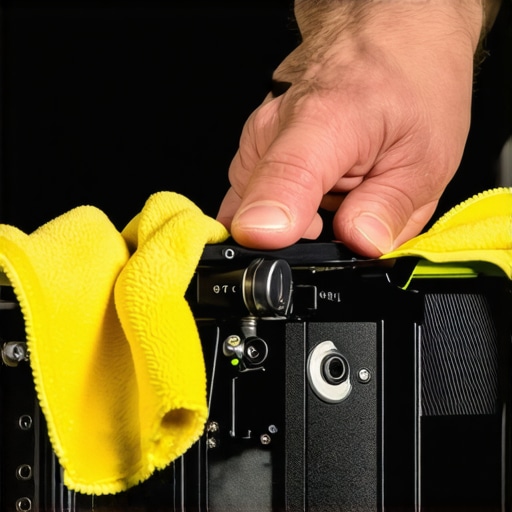
Aside from compressed air and filters, I swear by a few specialized tools. A microfiber cloth is indispensable for cleaning lenses and external surfaces without scratching. For internal cleaning, a gentle brush with anti-static properties can pick up stubborn dust without causing static buildup. I also keep a high-quality lens cleaning solution handy, but I avoid spraying directly onto the lens—apply it to the cloth first for safety.
Firmware updates are often overlooked but critical. Manufacturers regularly release updates that fix bugs, improve performance, or add features. I check my projector’s firmware quarterly through the manufacturer’s support site and follow their instructions carefully to keep it current. This not only enhances performance but can also prevent future compatibility issues.
Future trends in projector maintenance and scaling
Looking ahead, I predict that remote diagnostics and AI-powered calibration will become standard. These innovations will allow us to monitor projector health in real-time and automate adjustments, reducing downtime and ensuring peak performance. Investing in tools that support remote management now can save time and money in the long run.
Don’t forget, the key to sustained performance is consistent attention. I encourage you to try implementing a maintenance schedule using these tips and tools. Regular check-ups and updates will keep your projector running smoothly and ensure your films always look their best. For more detailed advice on supporting equipment, visit this support guide.
< >
>
By integrating these maintenance practices into your routine, you’ll not only extend your projector’s lifespan but also enjoy consistently stunning visuals that truly do justice to your creative vision. Remember, a well-maintained projector is the backbone of professional filmmaking and high-quality viewing experiences. So, gear up, stay proactive, and keep your setup performing at its best for years to come.
The Hardest Lesson I Learned About Choosing Projectors for Filmmaking
One of the most valuable lessons I’ve learned is that specs alone won’t make your projector performance perfect. I once bought a top-of-the-line 4K model because of its impressive resolution, but I overlooked how ambient light and color accuracy affected the final image. The result? Dissappointing visuals that didn’t match my expectations. The key is to balance technical specs with real-world testing and environment considerations.
3 Myths About Cinema Projectors That Held Me Back
- Myth 1: Brighter always means better. I used a 4000-lumen projector in a dark room and found it washed out details. Matching brightness to your space is essential.
- Myth 2: 4K is the only resolution worth upgrading to. I discovered that color fidelity and contrast matter more for film viewing and editing accuracy.
- Myth 3: The latest model is automatically the best. Sometimes, older models with firmware updates outperform new releases in real-world tests.
The Hidden Factors That Can Make or Break Your Projector Experience
Beyond specs, pay close attention to contrast ratio, color gamut coverage, and installation flexibility. These elements can dramatically influence your workflow and viewing comfort. I learned this the hard way after struggling with poor black levels and limited lens shift options — which affected my shot framing and color grading processes.
What Experts Won’t Tell You About Future-Proofing Projectors
Investing in HDMI 2.1 support, HDR compatibility, and firmware upgradeability ensures your projector stays relevant. I recommend choosing models with high lumen output and robust connectivity options, so you’re ready for upcoming tech advances without needing another upgrade soon. Check out this comprehensive future-proofing guide for more insights.
Curated Tools That Elevated My Projection Setup
- Colorimeters like SpyderX: Help me calibrate colors accurately for professional-grade viewing.
- Compressed air and lens cleaning solutions: Keep my projector dust-free and functioning optimally.
- Firmware update tools: Regularly optimize performance and compatibility.
- Support from dedicated forums: Reddit’s r/Filmmakers offers honest reviews and troubleshooting tips that saved me time and money.
Embrace the Future of Your Cinematic Vision
Now is the perfect time to upgrade your cinematic setup with a projector that matches your ambitions. Remember, the right tools, environment, and mindset will unlock your creative potential. Don’t let outdated gear hold you back from bringing your story to life in stunning detail. Your journey to cinematic excellence starts now!
What’s the biggest challenge you’ve faced when selecting a projector? Share your experience below and let’s learn together!
4 Replies to “Cinema Projectors 2024: Top Models and Buying Tips for Filmmakers”
Leave a Reply
Related Posts
Best Cinema Projectors & Lenses for Filmmakers 2024: Essential Buyer’s Guide
Ever spent hours tweaking your projector setup only to realize…
Cinema Projectors 2024: Top Models & Buying Tips for Filmmakers
I remember the first time I tried to set up…
Ultimate Guide to Cinema Projectors & Projection Screens 2024
My First Encounter with a Home Cinema Projector: A Dream…
This post really hits home for anyone who’s been frustrated with a subpar projector in their filmmaking setup. I’ve definitely fallen into the trap of focusing on resolution and brightness alone, only to realize later that color accuracy and contrast are just as crucial, especially when you’re working on detailed editing or color grading. The part about matching the projector’s brightness to your environment particularly resonated with me. In my studio, I initially bought a high-lumen projector thinking it would be great everywhere, but it actually washed out in the dimmer ambient light. Now I know that investing in a model with adjustable contrast and precise color calibration has made a huge difference in my work quality. Has anyone tried using portable calibration tools like SpyderX to regularly maintain color accuracy in their setups? I’d love to hear how others keep their projectors performing at their best over time. Sharing some practical tips would be really helpful for the community of filmmakers trying to get their display just right.
This post really highlights how crucial it is to think beyond just the specs when choosing a cinema projector, especially for filmmaking. I’ve personally learned that the environment you work in can drastically change what type of projector will perform best. For example, I once bought a high-lumen projector without considering room lighting, and the image still looked washed out in bright conditions. Since then, I’ve realized that adjustable contrast and even anti-reflective coatings on screens can make a significant difference.
Also, I’ve been experimenting with calibration tools like SpyderX, and they’ve been a game changer in maintaining color fidelity over time. It’s surprising how much slight calibration improvements can impact color grading accuracy. Have others found regular calibration to be worth the effort? And what are some tips for setting up a reliable calibration routine that doesn’t take hours each session? Sharing these insights could really help fellow filmmakers optimize their setups for consistent, professional results.
I completely agree with the importance of environment when choosing a projector. I made the mistake early on of prioritizing resolution without considering room lighting and surface quality. Now, I always ensure my space has controllable lighting and use calibrated screens to get the best out of my projector. Using tools like SpyderX for regular calibration really helps me maintain color accuracy over time, especially when switching between different lighting conditions or viewing content for grading. One challenge I face is balancing the cost of professional calibration setups with my DIY approach. Have others found that investing in a good calibration device or service pays off in the long run? Also, I’ve noticed that upgrading the projector’s firmware has improved performance and added features, so I make it a point to check for updates quarterly. How do you all schedule regular maintenance, and do you see a significant difference in your workflow and image quality? Would love to hear more tips on keeping projectors in top shape for filmmaking.
This post really made me realize how easily we can overlook the importance of calibration and environment when choosing a cinema projector. I had a similar experience where I prioritized resolution and brightness, only to find out that poor ambient lighting and a lack of proper calibration really compromised my workflow. Since then, I’ve started using a SpyderX device regularly, which not only helps me maintain accurate color but also saves me time during editing sessions. The idea of future-proofing with connectivity options, like HDMI 2.1, is also something I’ve been considering — it feels like investing in a good projector now can really save headaches down the line as technology advances. Do others have recommendations for affordable calibration tools that still deliver professional results? Also, how often do you recommend recalibrating for optimal performance? Would love to hear how other filmmakers maintain their setups for maximum color accuracy and performance.